A LITTLE FEAR. A LOT OF FEELING.
Zombie AI Trend Video Generator
Upload two photos to create your AI zombie love story.
MORE THAN A TRANSFORMATION
What Is the Zombie AI Trend?
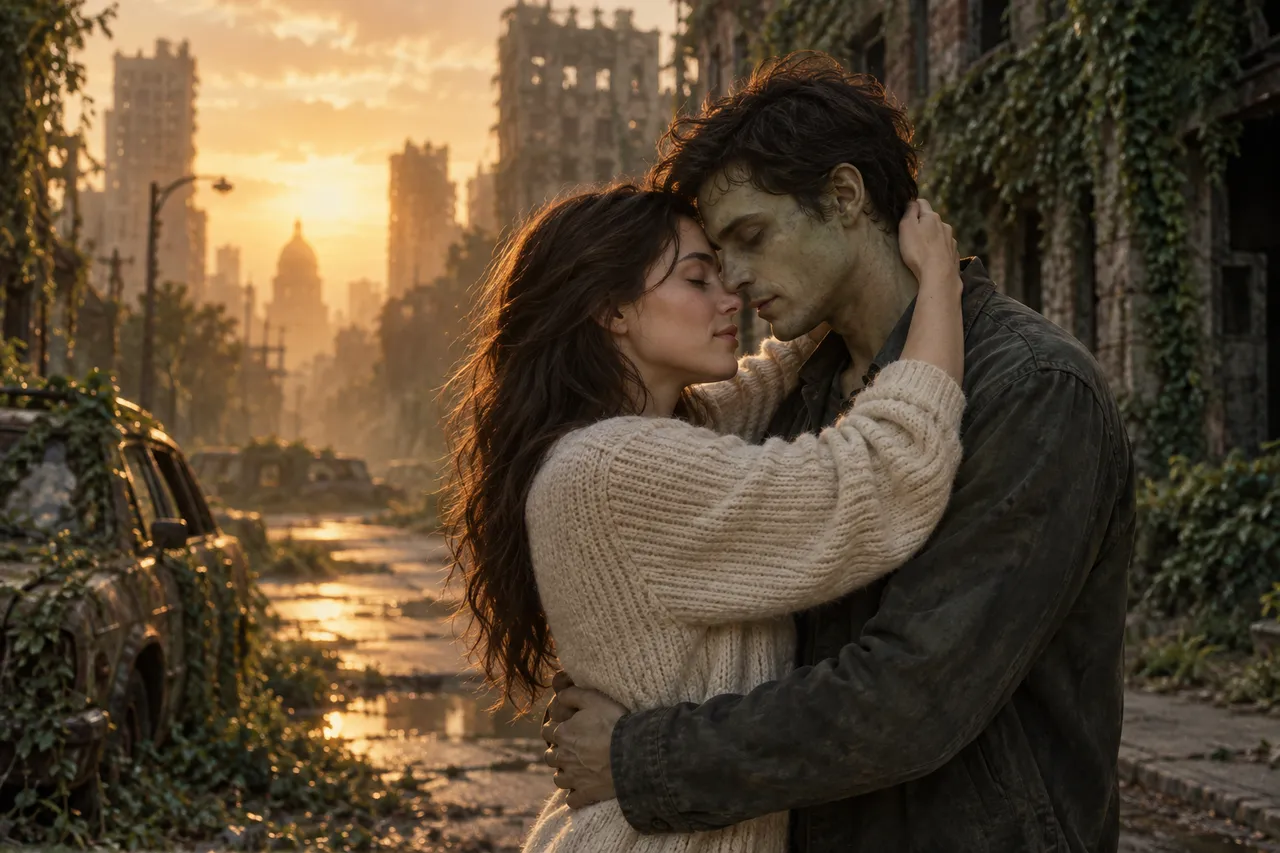
The Zombie AI Trend is a short AI-generated story where someone recognizes a loved one who has turned into a zombie. They lower their gun, open their arms, and the encounter cuts to a happy memory of the two together.
Our Zombie AI generator puts your photos into that story. Choose a partner, friend, family member, or pet for your Zombie AI Trend video. The zombie encounter becomes a way of saying, “I would choose you, even then.”
01
Clear photos for familiar faces
Start with clear portraits or visible pet markings. Recognizable features help the zombie reveal feel personal; generated likeness can vary.
02
Built for the love story
The Zombie AI Trend template already includes recognition, open arms, a rush, and a memory. Upload normal photos; no zombie makeup or acting clip is required.
03
Music and ambience
Your video request includes music and ambience. Listen to the result before sharing; the model decides the exact soundtrack.
04
Vertical or widescreen
Share your Zombie AI Trend in 9:16 on Reels, TikTok, and Shorts, or choose 16:9 for a wider scene. Both formats use 720p.
LESS SETUP. MORE STORY.
How to Make a Zombie AI Trend Video
Create your video here with two photos and a ready-made story. No prompt writing or separate editor is required.
01
Upload two photos
Add your loved one or pet under “Their photo” or “Pet photo”, and yourself under “Your photo”. Use one clear photo per character.
02
Pick a world and format
Give your Zombie AI Trend a setting: a ruined kitchen, an overgrown path, or a dusk street. Each zombie scene has a matching warm memory. Choose vertical or widescreen before generating.
03
Generate and share
Review the credit cost for your selected model, then generate your Zombie AI Trend video in 720p. Follow its progress and download the finished 15-second zombie story. Check faces, motion, and sound before sharing.
Zombie AI Trend prompt (optional)
Prefer to generate here? The studio already includes the story. This optional original prompt is for another video model that accepts two reference images.
THE MOMENT THAT CHANGES EVERYTHING
Your Zombie AI Trend, Scene by Scene
Your photos become the characters in a zombie encounter, an impossible choice, and a happy memory.
010–1s
The aim
The zombie encounter starts with a tearful survivor and an aimed gun. Your photo gives the frightened character a familiar face.
021–4s
The reveal
The zombie reveal brings your loved one into view. Beneath the pale skin and transformed eyes is the face you came to recognize.
034–5s
Open arms
You lower the gun. Fear gives way to love, and you open your arms.
045–8s
The pounce
The zombie rushes toward your open arms. You close your eyes; the frightening approach ends just before contact.
058–15s
The memory
The approaching motion becomes an embrace in a warm memory. Healthy faces, smiles, a run together, and one final hug.
The generator uses a fixed 15-second storyboard. Reference videos have their own timing; generated zombie features, likeness, and scene timing can vary.
One embrace, two timelines
The story turns a frightening rush into a healthy embrace at about 8 seconds. Matching positions and movement connect the zombie scene to smiles, time together, and a final hug.
LOVE HAS A FAMILIAR FACE
Who Is in Your Zombie Love Story?
Make your zombie story with someone you would recognize anywhere. Choose your relationship, then upload both photos in the generator.
THE STORY, WITHOUT THE COMPLICATED SETUP
A Zombie AI Generator Built for Your Photos
Create your video in one studio, from casting familiar faces to downloading the finished story.
Just upload photos
Start with one photo of you and one of your loved one. Ordinary portraits work; the transformation is included in the template.
No prompts needed
The story sequence is already set. Pick a scene template and generate without writing shot-by-shot prompts.
HD video options
Export your video in 720p. Choose 9:16 for a vertical story or 16:9 for a wider scene.
Clear export settings
Review your Zombie AI Trend settings before generating: format, resolution, and credit cost. Choose the frame for where you plan to share.
Download directly
Play your finished zombie video, listen to its audio, and download it from your result. Review the generated faces before posting.
One-time credit packs
Start with one zombie video or choose a pack for more versions. Single, Five Pack, and Studio Pack are one-time purchases.
A simpler workflow
Choose photos, a scene, and video settings in one place. The template handles the story sequence.
Clear failure messages
If a zombie video task fails, see a clear message. Reserved credits return when the provider confirms a technical failure.
ONE-TIME VIDEO PACKSNo subscription needed.
No subscription needed.
Buy credits once.
Each video is 15 seconds at 720p, with music and ambience, in 9:16 or 16:9. Fast uses 20 credits; Seedance 2.5 uses 33. Review the selected model and cost before generating.
Fast: 20 credits per video. Your video balance: 0 credits.
Single
Up to 1 Fast video20 creditsSeedance 2.5: 0 videos + 20 credits left
$6.90 per Fast video
- 15-second 720p HD videos
- Download and share your video
- Music & ambience
- Purchased credits never expire
- Failed videos return reserved credits
MOST POPULAR
Five Pack
Save 13%Up to 5 Fast videos100 creditsSeedance 2.5: 3 videos + 1 credits left
$5.98 per Fast video
- 15-second 720p HD videos
- Download and share your video
- Music & ambience
- Purchased credits never expire
- Failed videos return reserved credits
Studio Pack
Save 28%Up to 20 Fast videos400 creditsSeedance 2.5: 12 videos + 4 credits left
$5.00 per Fast video
- 15-second 720p HD videos
- Download and share your video
- Music & ambience
- Purchased credits never expire
- Failed videos return reserved credits
You buy credits, not a fixed number of videos. Fast uses 20 credits; Seedance 2.5 uses 33 per 15-second 720p video. One-time USD packs, no subscription.
Fast20 credits per video
Seedance 2.533 credits per video
A FEW THINGS YOU MIGHT BE WONDERING
Zombie AI Trend FAQ
Photos, price, sound, and results: what to know before you generate.
Can I generate without a prompt or CapCut?
Yes. The Zombie AI Trend generator includes the story sequence and scene templates. Upload both photos, choose your settings, and generate here. The optional prompt is for people who prefer another video tool; it is not required for this studio.
Can I make the Zombie AI Trend with my own photos?
Yes. Create the Zombie AI Trend from one photo of yourself and one of your partner or pet. Choose a setting and generate the preset 15-second zombie story. The template requests recognition, open arms, a rush, and a cut into happy memories. Timing and likeness can vary.
Can I generate the Zombie AI Trend with my dog or cat?
Yes. Choose Pets for your Zombie AI Trend and upload your dog or cat as the character who turns. Add your own photo as the survivor. Keep the head, ears, and coat markings visible so the zombie pet has useful references. Final pet likeness depends on the generation model.
How do I make a Zombie AI Trend video?
Use the Zombie AI generator on this page: upload both photos, pick a scene template, and select 9:16 or 16:9. Review the settings and the credit cost for your selected model, then generate. Your Zombie AI Trend story template is included; you do not need to write a prompt or edit separate shots.
What photos does the Zombie AI generator need?
Upload two ordinary JPG, PNG, or WebP photos for the Zombie AI Trend, at least 300 pixels on each side. Photos over 10 MB are optimized in your browser before upload. The left photo becomes the zombie; the right photo is the survivor. A successful generation gives you a playable, downloadable 15-second video in 720p.
Is the Zombie AI Trend free?
Single: $6.90 for 20 credits. Five Pack: $29.90 for 100. Studio Pack: $99.90 for 400. Packs are one-time purchases, with no subscription; purchased credits never expire. Existing orders keep their purchase-time terms. Each video is 15 seconds at 720p, with music and ambience, in 9:16 or 16:9. Fast uses 20 credits; Seedance 2.5 uses 33. Review the selected model and cost before generating.
How long does video generation take?
Generation time depends on the model and queue. The studio shows the task in progress and displays your zombie video when it is ready. We do not promise a fixed wait time; if a task cannot complete, you receive a clear message.
How can I keep faces recognizable in the zombie video?
Use sharp, well-lit portraits with one face per photo. Avoid sunglasses, heavy filters, group shots, and cropped faces. For a zombie pet, show the head, ears, and coat markings. Clear references help, but makeup, motion, and lighting can still change generated likeness.
Does my Zombie AI Trend video include music?
Your video request includes music and ambience. Players start muted, so use the speaker control to listen. The model composes the audio; a specific song from a reference video is not guaranteed. Review the soundtrack before sharing.
How scary is the zombie transformation?
The Zombie AI Trend template requests recognizable zombie features without gore or gunfire. Supplied reference clips are separate: the kitchen example includes visible injury details. Review your generated zombie video before sharing because model output can vary.
What if my video fails to generate?
When the provider confirms a failed video task, the reserved site credits return automatically. If submission confirmation is interrupted, keep the task ID and contact support before retrying. Differences in likeness or storytelling are not technical failures. Contact support for cash refund requests.
Which model powers the Zombie AI generator?
Choose Fast (Seedance 2.0 Fast) or Seedance 2.5 through EvoLink. Fast is the default. Each model uses your two photos to create a 15-second story at 720p, with music and ambient sound. Both vertical and widescreen formats are available.
How are my uploaded photos used?
Photos stay in your browser until you generate your Zombie AI Trend. The server removes image metadata and forwards references to EvoLink for your selected Seedance model. Temporary upload links expire after 72 hours; completed video links expire after 24 hours. We store task settings and result metadata, not original photos. Download your zombie video promptly and see our privacy policy for details.
Story details & tools
Choose a story or photo effect. People and pet stories use our existing zombie video templates.
People stories
Pet stories
Photo effects
Guides
Learn about photo preparation, prompts, editing, templates and sound.
THE WORLD CAN WAIT. YOUR STORY CAN’T.Create Your Own
Create Your Own
Zombie AI Trend Video.
Your photos. Your story.
Generate the story you want to share.